Configuration
Create new admin account or invite new users
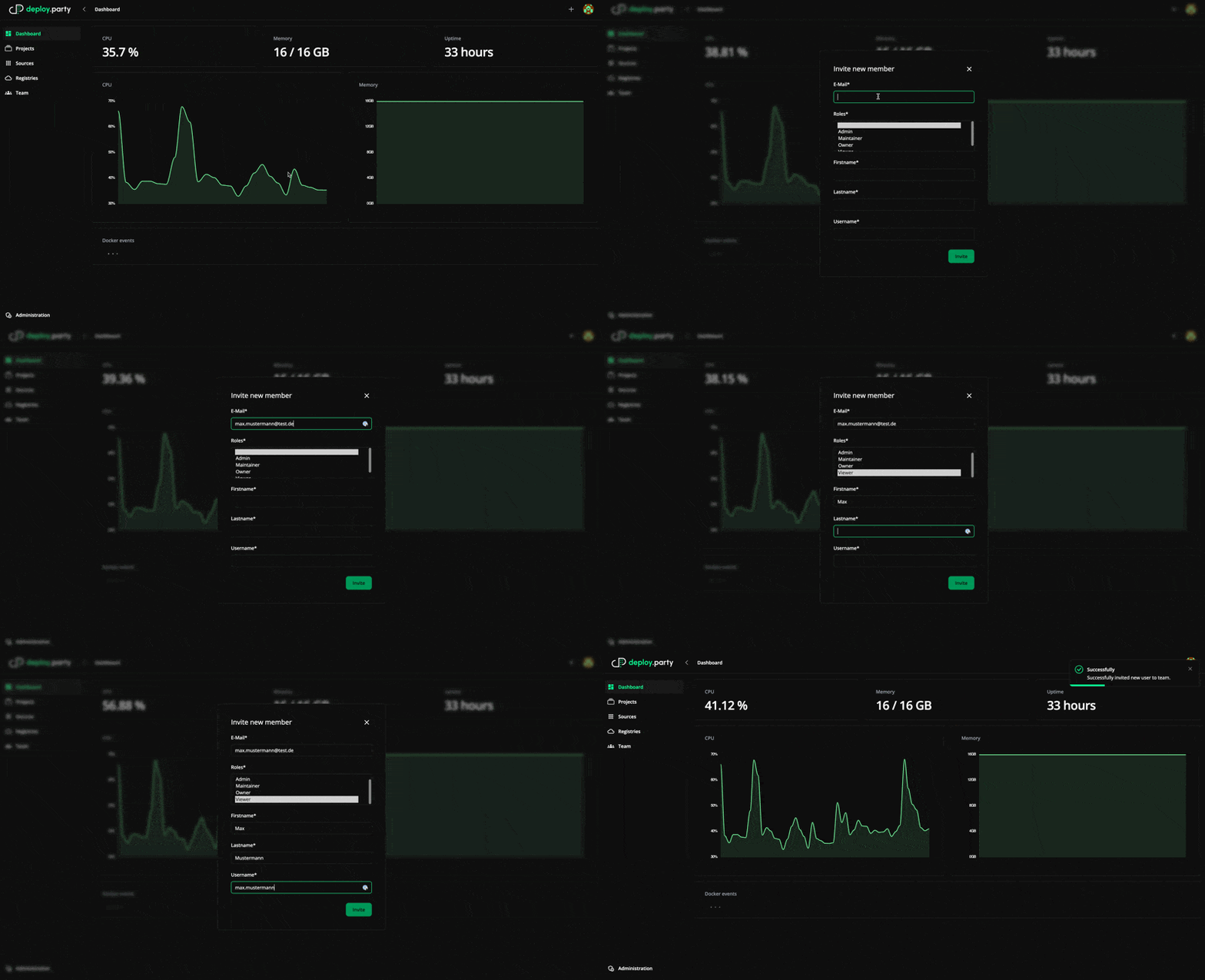
- Click on plus in topbar and create new member
- Fill form and choose the right role
- The invited user receives an e-mail with the request to set a password.
Create source

- Go to sources
- Click on plus in topbar and create new source
- Enter name of source for example GitLab
- Enter the URL of the GitLab instance for example https://gitlab.lenne.tech
- Enter the personal access token for the GitLab API GitLab Docs
- Create personal access token with following scopes:
api, read_api, read_registry, write_registry - Personal access token global (-/user_settings/personal_access_tokens) or Personal access token for project (/GROUP/PROJECT/-/settings/access_tokens)
- Create personal access token with following scopes:
Create your first project
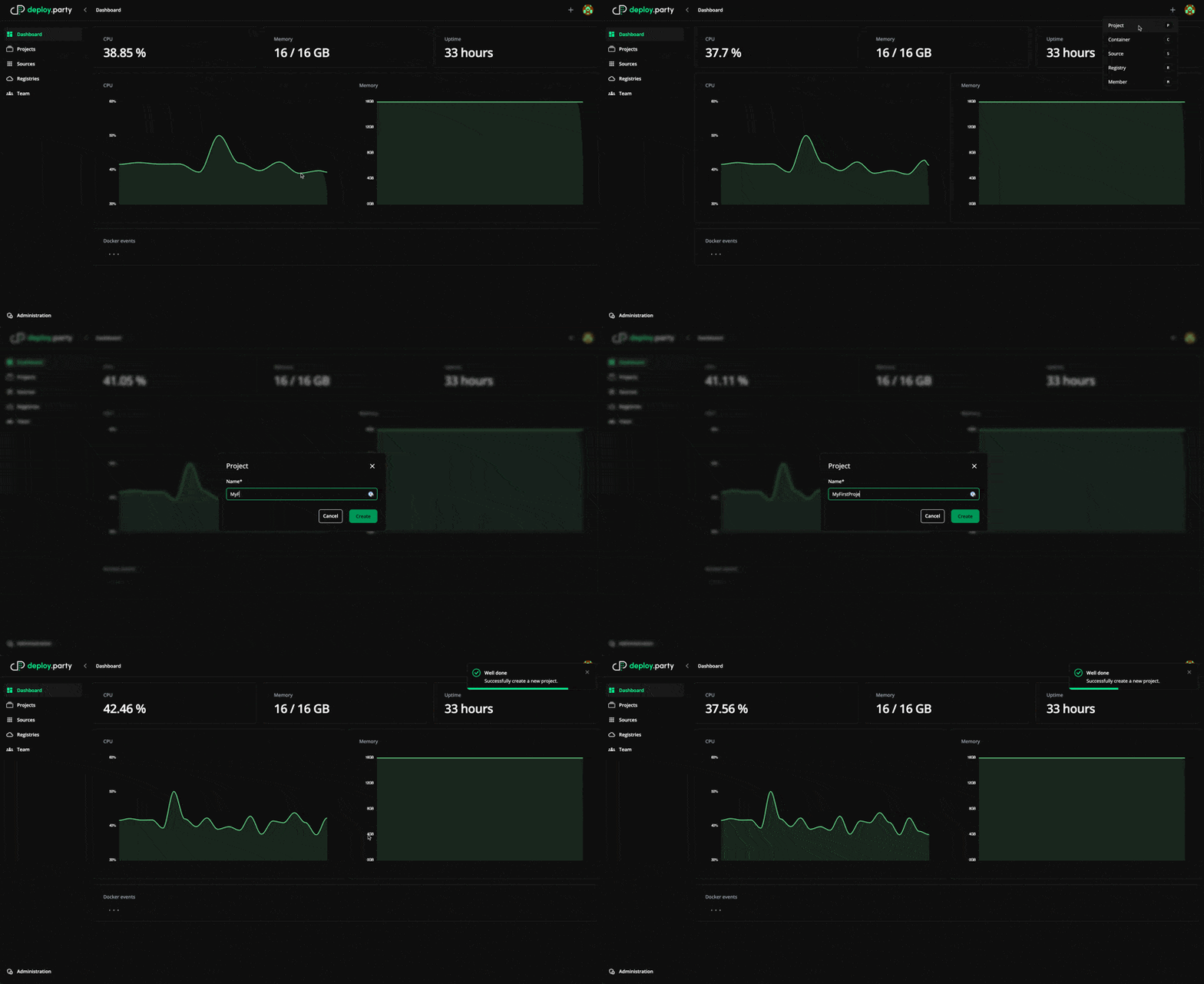
- Click on plus in topbar and create new project
- Enter name for project
Create your first container
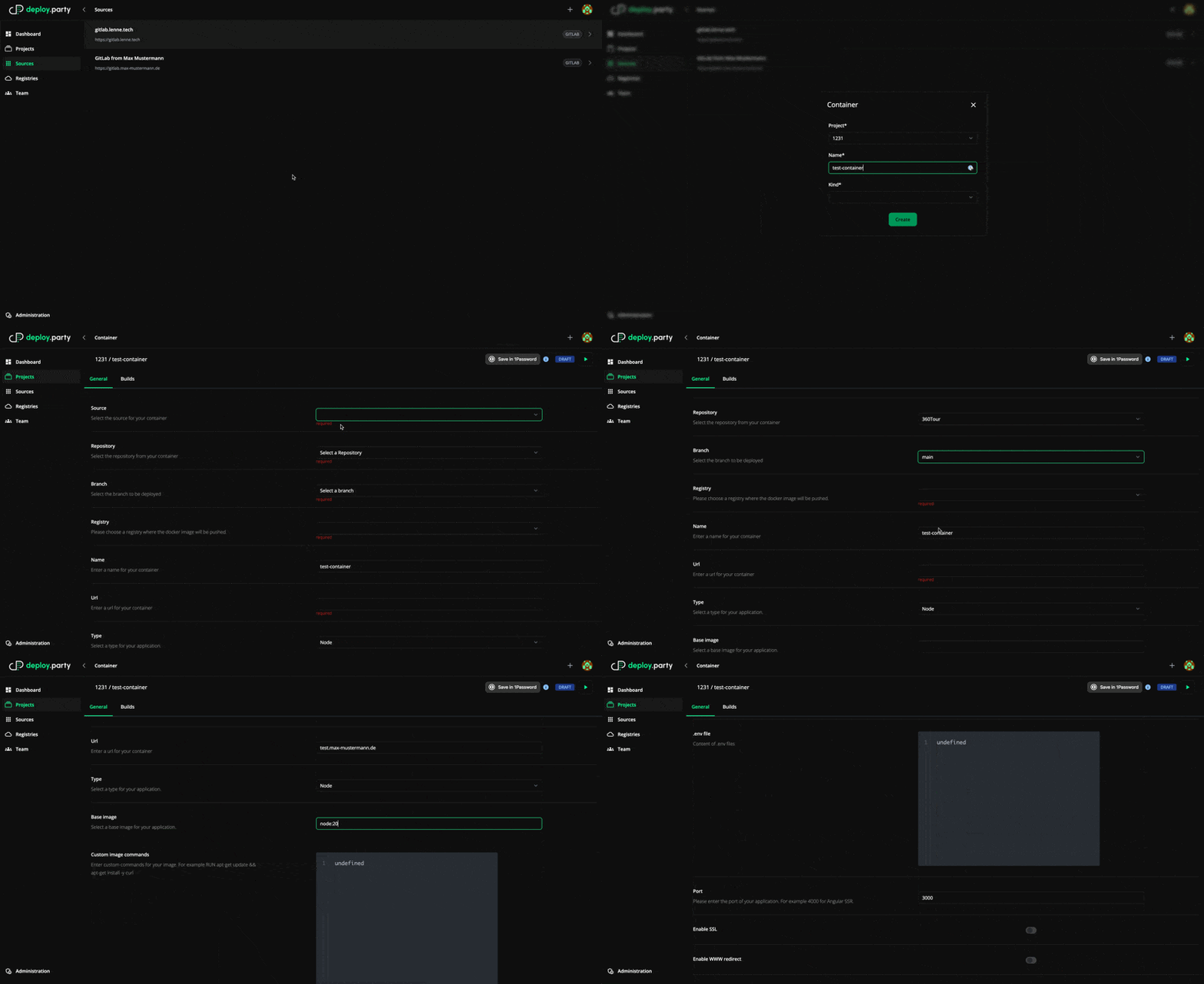
- Click on plus in topbar and create new container
- Select the created project
- Enter the name of the container
- Choose the kind of container (
APPLICATION,DATABASE,SERVICE,CUSTOM)APPLICATION: A normal applicationDATABASE: A databaseSERVICE: A service like a directus, ...CUSTOM: A custom container with custom docker-compose and Dockerfile